Published
How I Obsidian
Peeling my Obsidian for you
TL;DR
- My vault has 1,700 markdown notes + a handful of attachments
- All of this lives in 5 folders with no subfolders at all
- I have been using Obsidian since March 2026, but I previously used Notion since 2020
- My theme of choice is Cupertino
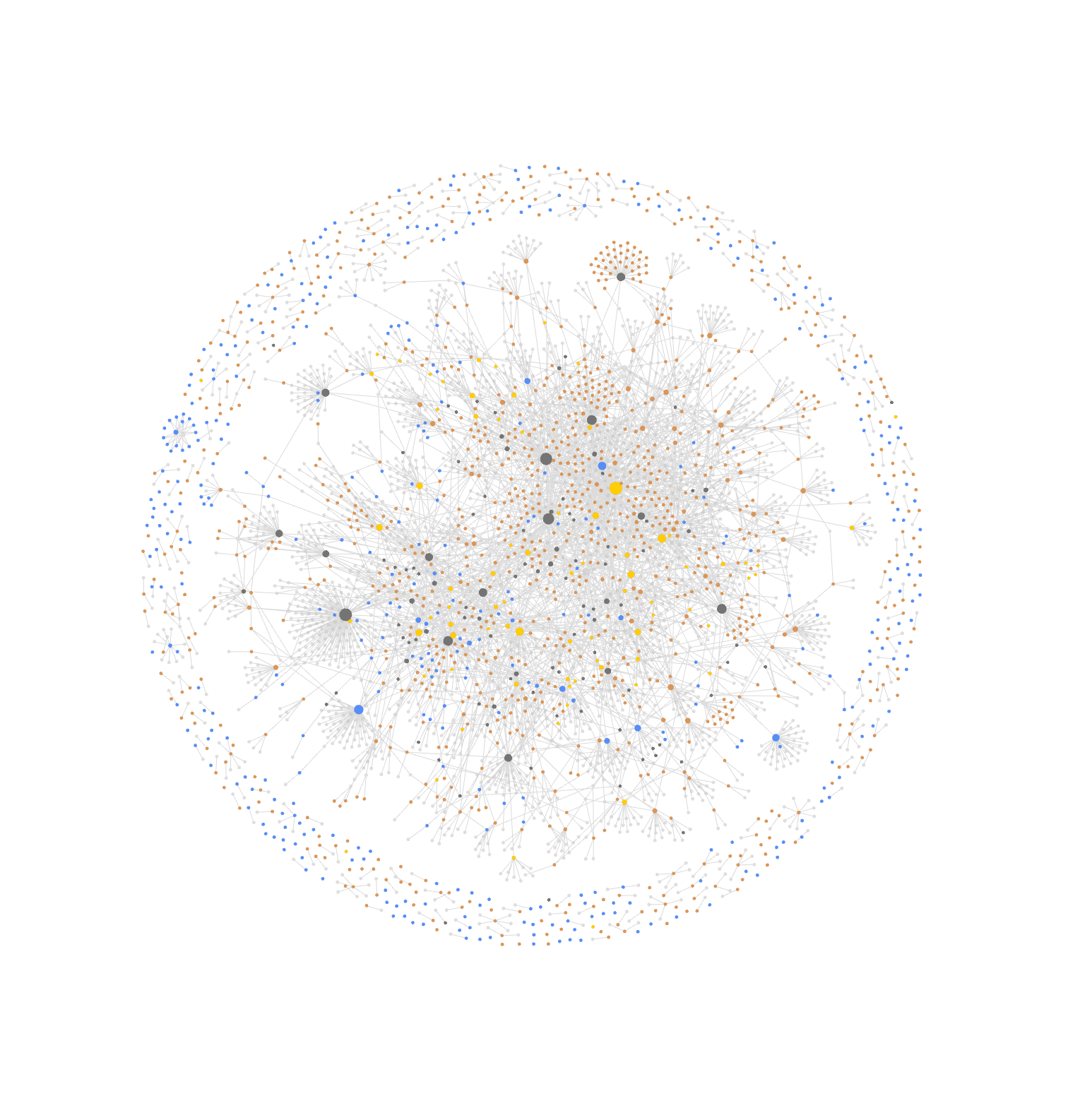
And this is what my graph looks like in September 2026:
This post is not an Obsidian tutorial, I won’t explain how Obsidian works. I will instead peel my Obsidian like an onion, starting from the interface I see when I open it and ending at the nitty-gritty plugins I use to enhance my writing experience.
In case you are just stumbling through this, here is a very straightforward index of terms used throughout the article with sources for you to dive deeper if needed:
-
Obsidian Sync is Obsidian’s first party solution to keeping your vault in sync on multiple devices. Obsidian is local first and I do recommend using it as such while getting intimate with it. I pay for the Sync with an educational discount and use it on my Mac Air, Tab S8 and Galaxy S25.
-
Obsidian Web Clipper is (Obsidian CEO) Chrome extension that allows you to create multiple templates for websites, for example one specific template for YouTube videos and another for saving movies from Letterboxd.
-
CSS Snippets are ways to inject your own personal and atomic styling choices to Obsidian. If you have too many opinions to put up you should probably just implement a theme, but there are a lot of use cases for snippets.
My interface
My theme of choice is Cupertino. The idea behind the theme is offering a native look for the Mac, so much so that it actually has a liquid glass appearance on context menus that looks awful and I quickly deactivated with a CSS snippet.
The main reason why I adopted this theme is because it hides by default a lot of the tools I was previously using the Hider plugin to get out of the interface. This level of customization — and another quite surprising one we will discuss later — were the winners of my loyalty to this app.
It’s borderline impossible to design an app with this many features and still keep a minimalist look, everyone that has tried — and there is a specific app that has tried more than anyone else — has ended up with never-ending context menus. Personalization is the only path to victory in this realm.
And yes I use Obsidian (and all my daily driver apps) in light mode all day, every day.
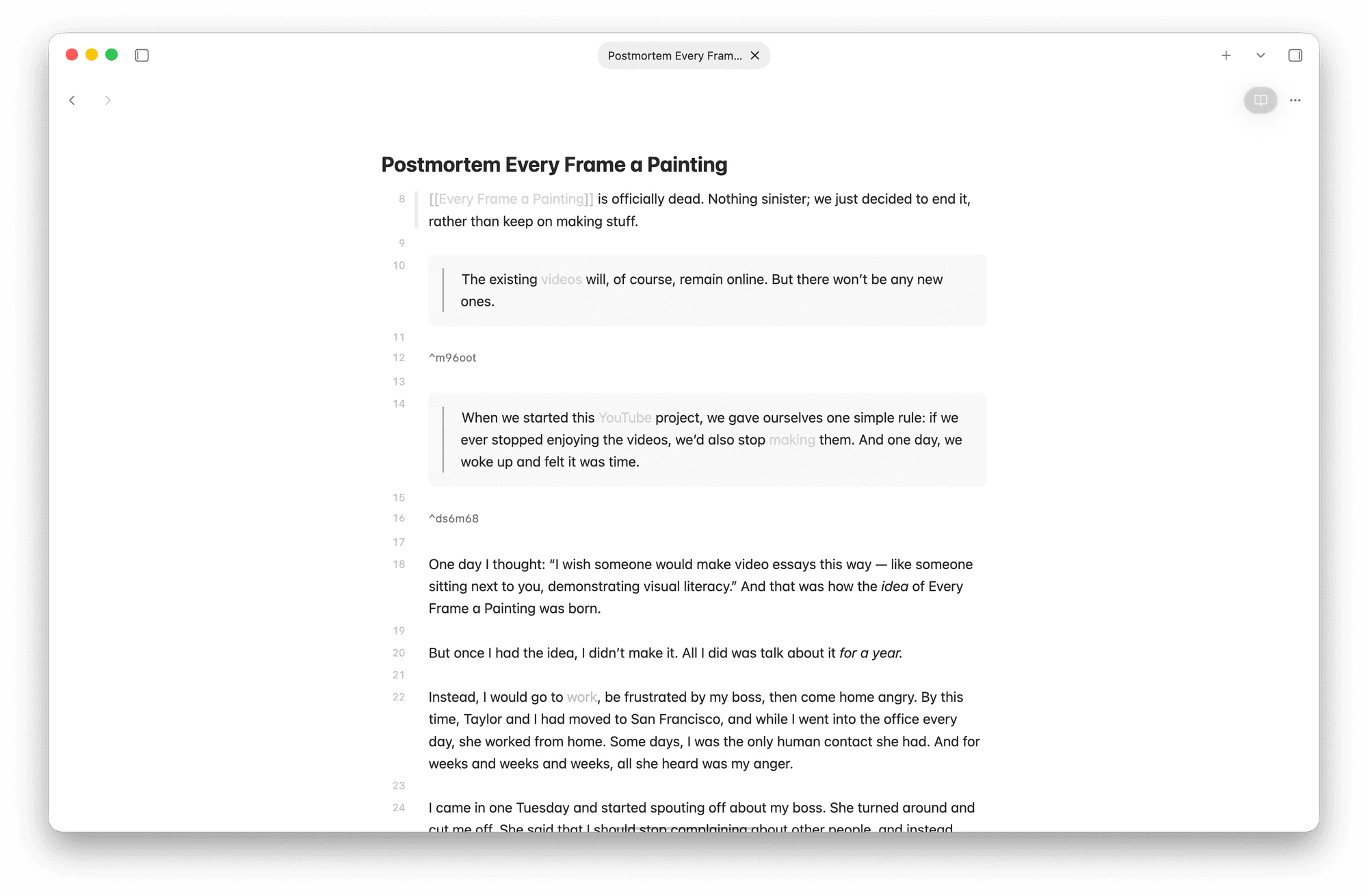
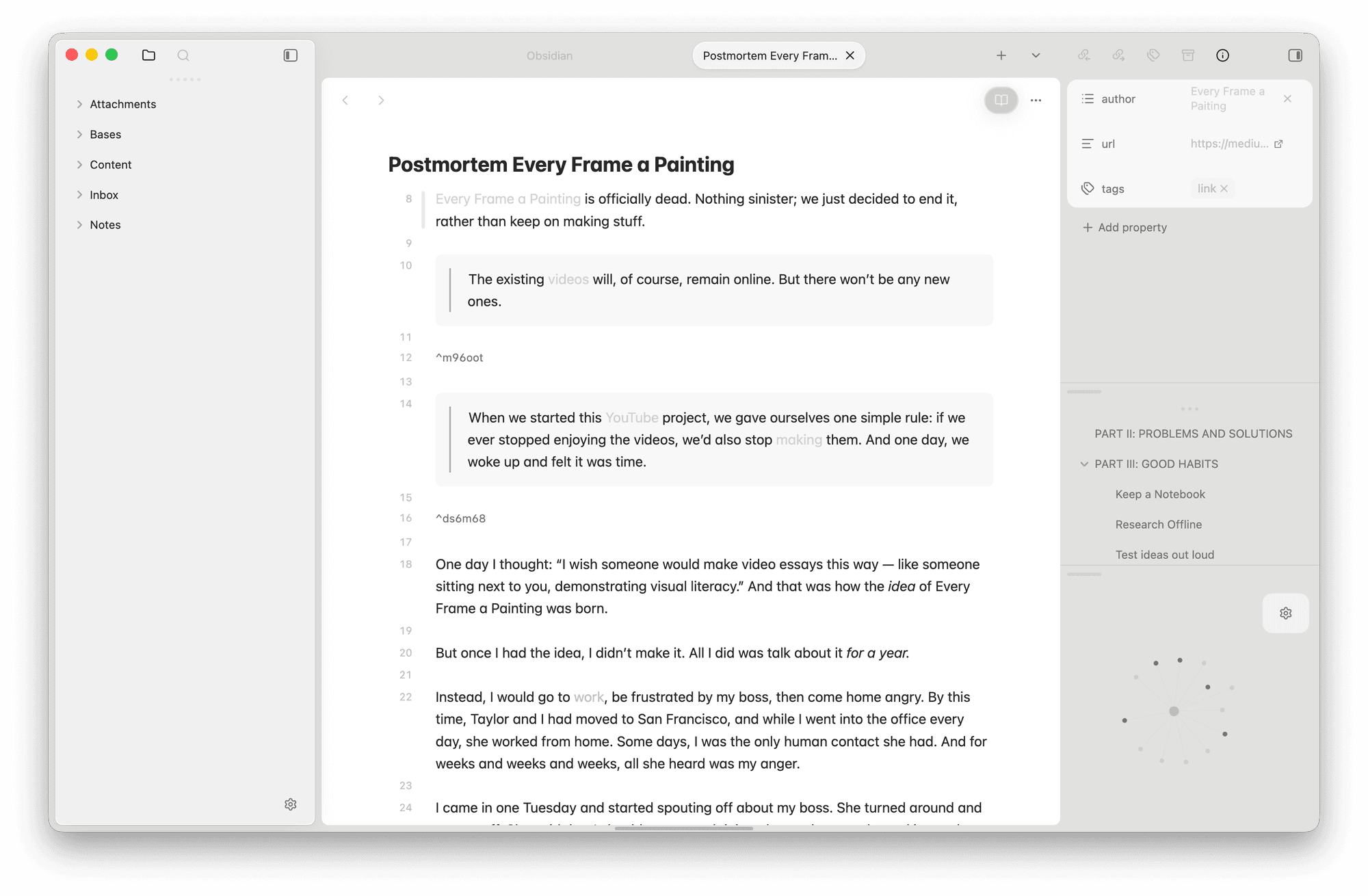
My most important navigational shortcuts are toggling the left sidebar with cmd - and toggling the right one with cmd +, in addition to cmd p to command palette and cmd o to quick switch files.
On my left sidebar I keep the vault folder and the search. I only use the folder structure to drop in files at the right place and never to find files. I do use Obsidian’s native search almost every day when researching content.
My right sidebar houses the property panel for the active note, an outline of the headers in the open file and the local graph of the active note.
Such a clean interface is also a byproduct of me opting out of a lot of native features, something that again, Obsidian simply lets you do. I don’t use the Audio Recorder, Bookmarks, Daily Notes, File Recovery, Footnotes View, Format Converter, Page Preview, Publish, Slides, Templates, Web Viewer or Workspaces.
And as you will see down the line, none of the plugins I use add anything to the main interface as well.
I aim for this level of minimalism because I never close Obsidian. I am not necessarily concerned with its performance because I have rocked this setup (and worse ones) on a Windows 8GB machine too, but I simply don’t want visual clutter in front of me 24/7. Like this, it’s just perfect.
My files
My vault has 5 folders.
- Attachments
- obsidian-graph.png
- Screenshot 2026-09-27 at 11.03.12.png
- Bases
- Books.base
- Games.base
- Movies.base
- Content
- Frankenstein.mdbook
- Mary Shelley.mdperson
- Postmortem Every Frame a Painting.mdlink
- Inbox
- Untitled.md
- Notes
- Finances.md
- Obsidian.md
- Vampires.md
-
Attachments and Bases are self-explanatory and the main purpose of their existence is filtering them out of the graph view.
- Important note: my Bases are for I have already played. Nothing I want to consume but haven’t gotten around to lives in these, which exempts me from having a status property of some sort.
-
Inbox is the entry door of my vault. I have it configured that every new note and every new Obsidian Web Clipper artifact comes to this folder.
-
From then on things are either Content (someone else’s words) or Notes (my words).
My properties
I use native Obsidian tags to set the type of a file. Contents can be:
- link if it is on the internet as its final form, it is a link
- movie self-explanatory
- book self-explanatory
- quote self-explanatory
- person and as I clarified for my agent, fictional characters are people too
And my notes can be:
- project all my ideas pre, during and post build and release
Or not have any type at all which means they are long-winded rambles of mine about a topic (for example, my Finances note has 17k words).
In addition to tags, I have 7 other authored properties to structure information. You can see below how they appear in each type of file. Cells highlighted indicate properties of the wikilink type, meaning they point to other pages within my vault.
| link | movie | book | quote | person | project | |
|---|---|---|---|---|---|---|
| author | yes, as a wikilink | yes, as a wikilink | yes, as a wikilink | yes, as a wikilink | ||
| url | yes | yes | yes | yes | yes | yes |
| rating | yes | yes | ||||
| cover | yes | yes | ||||
| status | yes |
My links
Wikilinks and links of all sorts are Obsidian’s main course. On this topic I think two things are important to share, how I use aliases and block embeds.
Using an excerpt from my note on Frankenstein by Mary Shelley:
A questão dos vampiros foi o tópico de várias conversas do grupo em encontros anteriores e estava presente em muitas culturas como metáfora para pessoas extremamente centradas em si mesmas que se “alimentavam” de outras, como os poetas.
This excerpt is written in Portuguese and if you click on it you will find a page called Vampires with an absurd amount of aliases — one of which is “vampiros”. Aliases are ways of making a file findable and mentionable with as many “nicknames” as you want, which finally solves the problem of me having half of my PKM in English and half in Portuguese.
No app has ever done that for me before and it honestly brings tears to my eyes.
Something else you will find in the Vampire page is this very block of text I just showed you as an embed. Embeds allow you to keep a part of one file in another without having to copy it down and ever worry about them being in sync or not. Most of my personal notes on topics are heavily built on top of block embeds of stuff from the Content folder.
My plugins
Although copying block embeds is a native Obsidian feature, it doesn’t appear in the context menu (at least not on Mac) and I use a community plugin to add that specifically. I kinda love how granular plugins can be.
My other community plugins are:
- Dataview, because I don’t entirely appreciate how Bases look when embedded in files yet
- Git handles , pushing and pulling my vault to a private repo every 1 hour
- Link remover to clean every mass of text I copy in or clip with Obsidian Web Clipper
- Tidy Footnotes to reorder and purge footnotes in my humongous notes
- Smart Random Note built on top of native Random Notes so you can filter the possible files
And for these last two plugins to make real sense to you, I have to finally explain my usage of Obsidian.
My usage
I have a lot of files and they are very long.
When you spend more than five years saving everything you find interesting in the digital and physical world, you very quickly get to a problem of discoverability.
While search of information is something targeted and easy to measure — either you find what you look for or you don't — discoverability is harder to grasp. For this purpose I will define it as the odds of me stumbling upon something I had forgotten I saved, something that is not top of my mind right now.
Random Notes and Smart Random Note allow me to keep being surprised by my own curation and escape the near-memory problem of PKM.
This theme of discovery, wandering and exploration is also what leads a lot of my notes to be five thousand words long and some even bigger than ten thousand words. I tend to write in prose a lot and make as much use of Footnotes as I would do in a blog. For this reason I need the Outline view always visible to my right, there is no other way of navigating within such long files.
That’s the bulk of how I live on Obsidian but there are some frequently asked questions I have been hit with. If the question nagging you in the head is not down below, feel free to message me directly, I clearly love talking about this.
- What is your routine with it? None. I don’t have a scheduled time to tame my Obsidian, I do it when it pleases me. When I’m in the mood, I open the Obsidian CLI and check for dead ends and orphan files, once I get in the flow I may not leave my Obsidian to go to other apps for the rest of the day.
- Do you ever delete things? This amount of files gives people the impression that I am a data hoarder, and that is a valuable line of thinking. But I do delete the shit out of things. I delete content if I didn’t get around to reading/watching it when I said I would, I delete personal notes and projects with faith that if it is really good it will come back to me. And I don’t remember ever restoring a file.
- Do you use AI with Obsidian? I have used it for importing data into it and for filling the cover properties of my Books, Movies and Games. My agents don’t edit anything more than properties on my files and they also don’t read my vault as a whole for aiding me in creative or educational projects. I don’t feel the need to explain why.
- Where is your calendar, your tasks or whatever? Obsidian is a PKM (Personal Knowledge Manager) and calendar and to-do lists are not Knowledge, no matter how much people try to fantasize otherwise. I use Todoist for tasks and no calendar at all.